Beschreibung
360 Photo Booth Software with the following specifications:
- Lifetime licence with 1 year software updates
- Compatible with windows 10 & 11
- QR code generator
- Runs on most Windows desktop computers, laptops and tablets, ideally powered by an Intel Core i5 processor or better. Avoid low spec tablets and Intel Atom or Celeron processors.
- Works with most Windows webcams (internal or external) and microphones (internal or external)
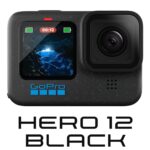
- Works with GoPro cameras using GoPro WiFi network: Hero 8/9/10/Max/Fusion/11/11 Mini/12/13. Requires additional software
- Can accept iPhone, iPad and Android phone camera input over a WiFi network. Requires additional software.
- Works with many Canon and Nikon DSLR cameras, including Live View in the software.
- Works with keyboard, mouse, touch screen or USB button
- Works with most Windows printers
- Runs on an iPad or Android tablet when it is configured as an extended monitor to your Windows PC, laptop or tablet.
- Create an unlimited number of events for use at use at home, at social events or within the workplace
- Buy once, use forever
- Requires one product code for each instance of Software on each computer.
EVENT DESIGN
- Event wizard
- Event themes and backgrounds
- Change the event text wording
- Translate the event text into any language
- Interactive buttons
- Record videos
- Capture photos
- Show recordings
- Redo recordings
- Photo printing with optional choice of Print Copies
- Create image files of print layouts
- Capture user text messages
- Create text question and answer events
- Create video question and answer events
- Display terms and conditions
- Capture user names and emails
- On screen keyboard for touchscreens
- Image library
- Video library
- Allow user to cancel their session
- Karaoke video recording
- Green screen image background for video and photo capture
- Overlay image on video and photo capture
- Combine overlay image with green screen for video and photo capture
- Event menus
- Event flow control and sequencing
- Next, Back and Skip buttons
- Information events
- Data collection, surveys and polls using multi-choice questions
- Question and Answer Branching
- Draw and Write on Videos and Photos
- Add image filters to photos
- Face detection features.
- Face props on video and photos
- Add your own interactive buttons with button actions
- Add the live feed from up to 4 webcams in your events
- Create ‚picture in picture‘ video recordings and photo captures (from up to 4 webcams)
- Create animated GIFs and Boomerang GIFs from user’s photos
- Drag and drop emojis and images onto photos (Image stamping)
- Integrate Snap Camera lenses in your photo capture events
- Show screens and screen items dependent upon the currently taken photo number
- Create Mirror Booth events.
- Option to use event specific webcam, DSLR or GoPro
- Create Sharing Station events
- Create Watch folder events.
- Enhance video recordings with Intros, Outros, overlays, background replacement speed segments, and reverse segments and special effects
- Create 360 spinner videos.
- Flexible event flow design
- Simultaneously record videos while photos are being taken.
SCREEN LAYOUT and DESIGN
- Screen layout and design editor
- Show the live view from multiple webcams on your event screens
- Background library
- Unlimited undo / redo
- Alter screen background colour, gradient and image
- Unrestricted size, position and layer of all screen items
- Alter font styles and colours of text items
- Alter background colour and gradient of items
- Unrestricted size, position and layer of all screen items
- Alter font styles and colours of text items
- Alter background colour and gradient of items
- Stretch images and videos
- Mirror the live webcam feed
- Flip items in X and Y
- Text variables
- Scale items
- Change opacity of items
- Cut, copy, paste and delete items
- Rotate items
- Item shadows
- Item borders
- Add images to item backgrounds
- Add new text items
- Add new image items
- Supports animated GIF files
- Show recent photos
- Show recent video files
- Add sound and audio prompts
- Add and design new screens
- Customise screen timeouts
- Photo print layout designer and Design templates
- Add countdown items with animated transitions
- Event screen library and photo print layout library
- Show the live view from a Canon or Nikon DSLR camera on your event screens
- Screen transitions and animations
- Add screen video backgrounds and video loops
- Add animated video sequences
- Add animated photo sequences
- Add animated text sequences
- Add clock items
- Add multiple live view camera items from different webcams
- Item fade and mask effects
- Add filters to background and image items
- Add logo to recorded videos and photos
- Video and photo cropping
- Slideshow the event video recordings, photo captures and text messages
- Add multiple live view camera items from a DSLR camera
- Show main event on a second monitor
- Main event on primary monitor, slideshow on second monitor
- Add Drawing Pad items to screens and Print Layouts
- Add multiple Web Browser items on each event screen
- Add QR codes to screens
- Show PDF documents on event screens (in the Web Browser item)
- Show and play interactive games and puzzles (HTML5, SWF)
- Show independent event screens on up to 4 monitors
- Create transparent event screen backgrounds to overlay interactive event elements on other applications
SOCIAL MEDIA INTEGRATION
- Copy files to USB data stick with the Event Publisher and Event Viewer
- Send videos, photos and messages to users via email and phone SMS
- Transfer files to Facebook using IFTTT web automation.
- Transfer files to YouTube using Zapier web automation.
- Copy files to cloud storage via the ‚Copy to folders‘ feature and FTP uploading
- Email address pick list
- Send videos, photos and messages to WhatsApp accounts.
SETTINGS
- Video and audio settings
- Video recording tester
- Error monitoring
- Control events with keyboard key, mouse, touch screen or USB button
- Event security features
- Event usage rules
- Notification emails





Pablo –
Ich hatte mein erfolgreichstes 360°-Event mit dieser Software und meiner Hero10. Vielen Dank für Ihre Hilfe!
John –
Diese Software ist sehr einfach zu bedienen, kompakt und vielseitig und funktioniert hervorragend. Es ist sicher genau das, was ich für mein 360 PhotoBooth brauchte.
Mia –
Die beste Software, die ich bis jetzt für 360 Photo Booth verwendet habe, da ich jahrelange Erfahrung in diesem Bereich habe.
Viktor –
Diese Software ist genau das, was ich brauchte!!! Vielen Dank für Ihre Hilfe, ich schätze Ihre Zusammenarbeit.
Martin –
Diese Software half mir bei der Installation der 360 PhotoBooth-Plattform. Ich habe alle Installationsanleitungen und Videos. Ich habe die Installation nicht selbst vorgenommen, sondern mir von ihnen helfen lassen. Herzlichen Dank!
Leo –
Diese Software half mir bei der Installation dessen, was ich für die Plattform benötigte. Ich habe auch alle Anweisungen für die Installation erhalten. Ich danke Ihnen!
Tobias –
Vielen Dank für diese Software, sie ist genau das, was ich brauchte.
Christian –
Die beste Software, ich habe meinen Job mit der Plattform wegen ihr gemacht. Dankeschön
Emma –
Wunderbar!!! Genau das, was ich brauchte. Vielen Dank für diese Software.
Luna –
Sehr zufrieden!!! Diese Software ist sehr einfach zu bedienen. empfehlen.
Chriss –
Es ist sehr einfach zu bedienen. Danke für diese Software. Weiterempfehlen!
Jacobs –
Diese Software half mir bei der Installation der 360 PhotoBooth-Plattform. Ich habe alle Installationsanleitungen und Videos. empfehlen.